
SameMovie.SameMoment.
Different Cities.
Watch Together.
The free Chrome extension that syncs your stream, your reactions, and your laughter — so distance never gets between you and movie night.
Free forever for sync, chat & voice · Works on Chrome, Edge, Brave
See how it worksWorks with





The problem we solve
Distance shouldn't mean watching alone
You pause to text "did you see that?!" but the moment's already gone. You try to count down "3, 2, 1, play" but you're always off. We built SyncCouch so you never have to do that again.


Your extension, alive
A sidebar that feels like sitting together
Chat, react, video call — all without leaving your stream. The SyncCouch sidebar lives right next to your video.
 SyncCouch
Feel every moment
Everything you need to watch together
Same second. Same scream.
No more "3, 2, 1, play" countdowns that never work. Hit play on your side and your partner's video moves with yours — every gasp, every laugh, every "did you see that?!" happens at the exact same moment.
See their face when the twist hits
A tiny video window sits right next to your show. Watch their jaw drop during the reveal, catch their happy tears at the ending — without pausing or switching apps.
Throw popcorn at their screen
Send emoji bursts that float across their video — heart-eyes during the romance, a scream during horror, fire when the hero walks in slow-mo. They feel your energy in real-time.
End the "what should we watch" fight (coming soon)
You want thriller, they want rom-com, and 30 minutes disappear. Soon you'll tell SyncCouch your mood and our AI will pick something you'll both love — coming soon in the next update.
“Why not just use Teleparty?”
Teleparty is great for group watch parties. SyncCouch is built specifically for couples. That means video chat baked in (not a paid add-on), emoji reactions that float on your partner's screen, AI picks for what both of you like (coming soon), and support for JioHotstar — which no other watch party tool offers.
Millions of shows & movies
Watch right on your favorite streaming sites
Start a SyncCouch session directly on Netflix, YouTube, Prime Video, JioHotstar, or Crunchyroll. No extra apps, no downloads — just click, sync, and enjoy together.

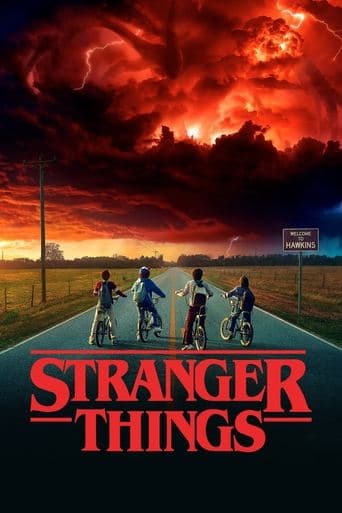 Stranger Things
 Money Heist
 Squid Game
 Wednesday
 Dark
Dark Breaking Bad
 Narcos
 One Piece
 The Witcher
 Bridgerton
 Black Mirror
 Peaky Blinders
How it works
Movie night in four steps
Install the extension
Add SyncCouch to Chrome for free from the Chrome Web Store — takes about 10 seconds.
Share a room link
Create a room and send the invite link to your partner. That's it.
Press play together
SyncCouch handles the rest. Every play, pause, and seek stays in perfect sync.
Feel them next to you
Chat, react, video call — all in the sidebar. Distance? What distance?
From our early access testers
Couples who tried it can't go back
“We used to do the 3, 2, 1, play thing on a video call and it was NEVER in sync. Like ever. One of us would laugh 5 seconds early and spoil the joke. SyncCouch literally fixed our movie nights — we binged all of Stranger Things last month and every jump scare hit us at the same time. It sounds small but it makes such a difference.”
Priya & Arjun
Mumbai — Bangalore, together 2 years
Got questions?
Frequently asked questions
Is SyncCouch really free?
Yes. Playback sync, text chat, voice chat, and video chat are free and unlimited. AI movie recommendations are coming soon in the next update and will be free too.
Do both of us need a Netflix / Prime / JioHotstar subscription?
Yes, both you and your partner need your own subscription to the streaming platform. SyncCouch syncs the playback between your two browsers — it doesn't share or stream video content.
Will Netflix or JioHotstar ban me for using this?
No. SyncCouch only uses the standard HTML5 video API (play, pause, seek). It doesn't circumvent DRM or access the video stream. This is the same approach Teleparty has used for over 6 years without issues.
What platforms does SyncCouch support?
Netflix, Prime Video, YouTube, JioHotstar, and Crunchyroll. We're the only watch party tool that supports JioHotstar. More platforms are planned.
Does it work on Edge or Brave?
Yes! SyncCouch works on any Chromium-based browser — Chrome, Edge, Brave, Opera (version 116+).
How do I get started?
SyncCouch is live on the Chrome Web Store. Click Add to Chrome, pin the extension, then open any supported streaming platform to create a room — you'll be watching together in under a minute.
Start your movie night
Install the free Chrome extension and watch together in under a minute. Free forever for playback sync, chat, and voice.
Live on the Chrome Web Store · Works on Chrome, Edge, Brave & other Chromium browsers